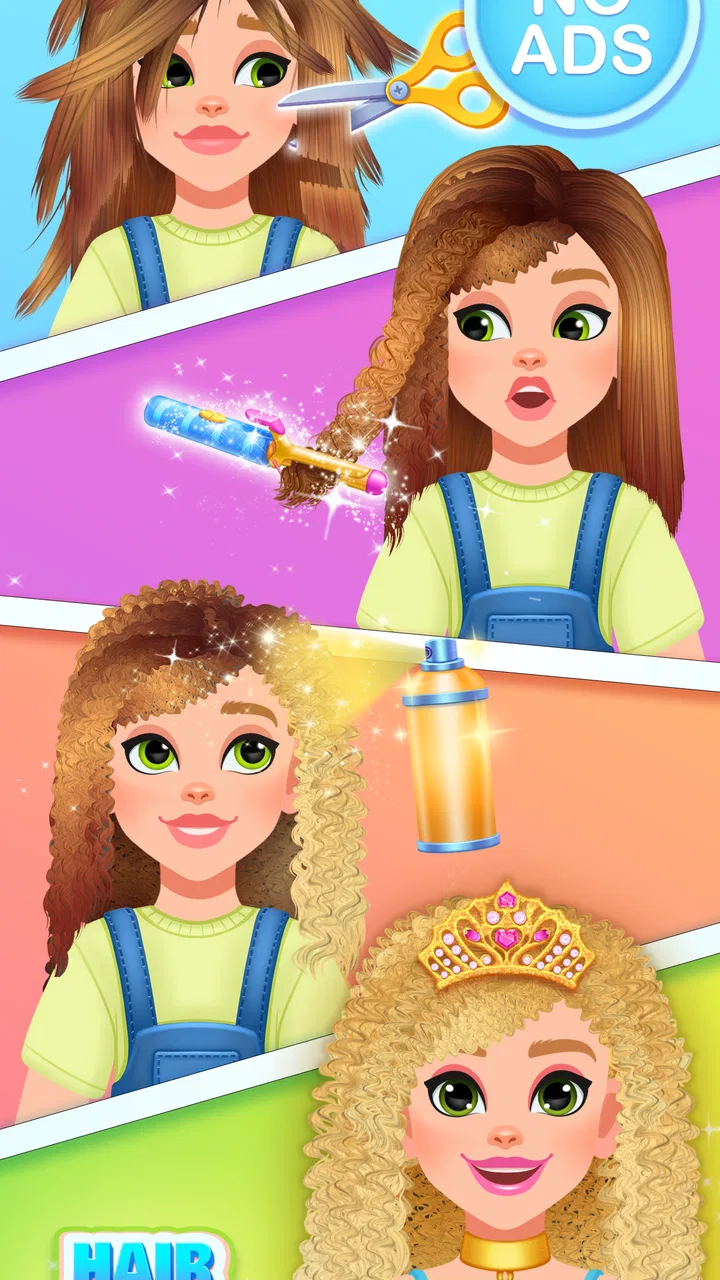
Hair Salon Games For Kids
- 4.3
- Rating
- 10.00M
- Installs
- Free
- Price

 Analysis by App-foxy
I first approached Hair Salon Games For Kids as something to play during a quiet family moment, not as a serious simulation. That turned out to be the right expectation. This is a child-friendly hair-styling game from Kidospace LTD, built around the simple pleasure of choosing a look, changing hair, and seeing the result on screen. It is free to start, rated for Everyone, and its uncomplicated presentation makes it easy to hand over to a child for a short, supervised session.
What makes it useful in a household is not depth in the usual strategy-game sense. Its appeal is immediate interaction. A child can experiment with hairstyles without needing to understand complicated menus, long tutorials, or competitive rules. I found that the strongest use case is a shared phone or tablet passed between an adult and a child, where the adult can help with the first few taps and then let the child take over.
The game has reached over ten million installs and holds a 4.5 average from around forty-four thousand ratings, so it is clearly familiar to a large audience. Those figures do not make it automatically perfect for every child, but they do suggest that its basic idea is easy for families to understand. I would describe it as a casual creative toy with simulation elements rather than a detailed salon-management game.
You May Also Like

 Blood Strike: 2.5 Anniversary
Blood Strike’s Loadouts Turn Every Drop Into a Tactical Gamble
A close look at Blood Strike’s custom loadouts: how fast access to signature weapons reshapes its battle royale rhythm, rewards preparation, and narrows the gap between fights.

 Pandora - Music & Podcasts
Pandora’s Music Is Easy to Start, but Harder to Recover
Pandora’s strength is its low-effort path from a seed to a station. Its weak spot is how much confidence it asks you to place in connection, setup, and quiet recovery.

 8 Ball Pool
 Is Built on Rivalries, Rematches, and Routine
A close look at the rivalries, rematches, shared routines, and unanswered safety questions that turn a quick pool match into a persistent mobile community.

 Samsung Music
’s Quiet Strength Is Playing What You Already Own
Its reach comes less from spectacle than from dependable access to a personal library. That simplicity is both the app’s strongest retention engine and its ceiling.

 AccuWeather: Weather Radar
AccuWeather Review: A Quick, Clear Forecast for Everyday Decisions
For everyday plans, the best forecast is the one you can understand quickly. AccuWeather makes rain timing, radar, and local conditions easy to act on, with a few trade-offs.

 Hill Climb Racing
Why Hill Climb Racing Still Turns Crashes Into One More Run
A tiny car, a bumpy hill and one more upgrade: Hill Climb Racing keeps resurfacing because its simple chaos makes every near-miss feel personal.
More From Our News Desk



How it works on a shared family device
On a shared family device, I’d treat the game as a brief creative turn rather than something that needs to occupy the screen for a long stretch. That makes it easier to fit around meals, errands, or a sibling’s turn, while keeping the device available to everyone. A simple handoff plan also helps the next section’s focus: how adults can set expectations without taking over the child’s play.
A short activity that works best with turn-taking
On a shared device, the most natural way to use this game is in small turns. One child can choose a style, another can suggest a change, and an adult can help if a button or gesture is not obvious. That makes it more social than simply leaving a child alone with a screen. The game gives everyone something visible to discuss: whether a cut looks better shorter, whether a color suits the character, or whether the final result should be changed again.
I would not treat it as a game that needs a long uninterrupted session. Its charm comes from quick creative decisions, and repeating the same type of activity for too long can make the experience feel limited. For a waiting room, a rainy afternoon, or a few minutes before bedtime, that simplicity is helpful. For a full afternoon of entertainment, I would pair it with another activity rather than expect it to carry the entire session.
A practical household routine is to let the child make the first design, then ask them to explain what they changed. This turns tapping into a small exercise in planning and communication. It also helps an adult notice whether the child understands the controls without hovering over every action. I prefer this approach because the game is most enjoyable when the child feels in charge of the look, while the adult remains available instead of directing every choice.
Why the uncomplicated format matters
Many simulation games introduce currencies, missions, timers, upgrades, or several connected systems. Those mechanics can be entertaining, but they also create friction when a young player only wants to create something. Here, the hair-salon theme keeps the focus narrow. The child does not need to learn a large virtual world before reaching the main activity.
That narrow focus is also the main trade-off. A player looking for a story, character progression, or a salon business to manage will probably find this too light. It does not replace a deeper makeover game for older children. Instead, it works as a low-pressure introduction to digital styling and pretend play.
Setting expectations before handing over the device
Because the game is free, I would explain in advance that free access does not necessarily mean every possible item or option is included without cost. The listed in-app purchase range is from $9.99 to $59.99 per item. I would not leave a young child to explore purchases independently, especially on a shared device where another person’s store account may already be active.
This is less about the hair-styling activity itself and more about household boundaries. Before playing, I would make sure the child knows which actions are allowed and which ones require an adult. If several people use the same phone or tablet, that conversation matters even more. A child may see a purchase prompt as part of the game, while an adult sees it as a real transaction.
I also recommend deciding whether the game is for creative play only or whether the child may save and revisit looks when that option appears during play. Having that expectation clear avoids arguments between siblings. The game is easier to enjoy when the device owner and the child agree on the rules before the first hairstyle begins.
Managing turns, age context, and trust
For turns and age context, I find it helpful to separate creative choices from device responsibilities: children can decide on the style, while an adult remains in charge of account settings and purchases. The Everyone rating is a useful starting point, but watching how a child handles the controls and prompts is more informative than relying on an age label alone. Those practical boundaries shape how much trust the game earns in a household.
A simple coordination method for siblings
With two children sharing one device, I found that the best arrangement is to give each person a defined role. One child can be the stylist while the other chooses between the suggested changes, then they can switch. This prevents the more confident player from taking control of every tap. It also turns the game into a cooperative activity instead of a quiet competition over who holds the screen.
Another useful method is to finish one complete look before changing hands. Passing the device after every action sounds fair, but it can make the design feel disjointed and frustrating. Letting one player complete a stage gives them ownership, while the next player gets a clear opportunity to create something different. An adult can act as the timekeeper if the children struggle to agree.
These arrangements are not built-in game systems; they are household habits that make a lightweight game work better in a group. That distinction is important. The game itself is designed around the styling activity, so families may need to provide the structure for sharing, waiting, and switching roles.
What the Everyone rating does and does not decide
The Everyone age rating makes the game a reasonable candidate for younger players, but an age label should not replace a parent’s judgment. Children differ in reading ability, patience, comfort with touch controls, and understanding of purchase prompts. I would watch the first session, not because the concept is difficult, but because the child’s reaction tells me more than the rating alone.
For a child who enjoys pretend play and visual choices, the salon setting should be easy to understand. For a child who needs constant goals or becomes frustrated when a result does not match an imagined hairstyle, the open-ended format may feel less satisfying. In that case, an adult can help by treating each result as an experiment rather than insisting that the final look be perfect.
I also think the game suits children who like showing their work to others. A finished hairstyle gives them an immediate object to talk about. That can be a positive shared-device experience, especially when an adult asks why a particular choice was made instead of judging the appearance itself.
Trust and supervision on a family account
On a device used by adults and children, I would keep the first few sessions supervised. The reason is practical: the game is free to download, but optional purchases can change the household risk. I would not assume that a child understands the difference between trying a feature and buying something. An adult should handle any payment-related decision personally.
This is also a good opportunity to separate playtime from account management. The child can choose the hairstyle, while the adult keeps responsibility for the device, store account, and any transaction. That division is clear, respectful, and easy to explain. It lets the child enjoy creative control without giving them responsibilities they are not ready to manage.
If the device belongs to several family members, I would also avoid treating the game as a private space for one child unless the household has agreed on that. A sibling may want to try it, and an adult may need the device for another task. The game is well suited to shared use, but shared use works best when everyone understands whose turn it is and when the device must be returned.
Where the game feels strong and where it falls short
The game’s strongest point is the quick connection between a styling choice and its visible result, which gives younger players an immediate reason to try another look. Its narrower focus can also become a drawback for anyone expecting a growing salon, longer-term goals, or broad creative freedom. With that balance in mind, I can explain who I’d recommend it to and when I’d choose another kind of game.
The strongest part is immediate visual feedback
The central pleasure is seeing a hairstyle change as a result of a choice. That feedback gives children a clear connection between action and outcome. They do not need to wait through a long sequence of menus to understand what they have done. For younger players, that immediacy is more valuable than a complicated progression system.
I also like the fact that the theme is familiar. Most children understand what a hair salon is, even if they have never played a simulation game. That familiarity lowers the learning curve. An adult can explain the idea in a sentence, and the child can begin exploring rather than listening to instructions for several minutes.
There is a useful creative trade-off here. The game can encourage experimentation because changing a virtual hairstyle feels less permanent than making a real-world decision. A child can try an unusual look, compare it with a more conventional one, and discuss the difference. That makes it a better fit for imaginative play than for players who only want a fixed challenge with a clear winner.
The limitations become clearer over longer sessions
The same simplicity that helps a young child begin can make the experience feel repetitive. If a player expects new objectives, a substantial story, or a management layer involving customers and salon decisions, this is not the right choice. It is closer to a focused styling activity than a complete business simulation.
I would also be cautious about presenting it as a substitute for open-ended creative tools. A drawing app gives a child more control over the whole image, while a dress-up game may offer a broader range of character customization. This game makes more sense when the child specifically enjoys hair and wants a guided theme rather than a blank canvas.
Another limitation is that the free entry point can create an awkward boundary if the child reaches an option connected with an in-app purchase. The purchase range, from $9.99 to $59.99 per item, is significant enough that I would treat payment settings as an adult matter. Families who want a completely purchase-free experience may prefer a game with no optional transactions at all.
How it compares with ordinary alternatives
Compared with a real salon visit, the game is obviously safer for experimentation and more convenient, but it lacks the tactile experience of brushing hair, handling tools, or seeing a real person react. Compared with a video, it is more interactive because the child makes choices rather than only watching. Compared with a general creative app, it offers a clearer theme but less freedom outside hairstyling.
That comparison helped me decide who should install it. I would recommend it to a parent seeking a simple, child-oriented simulation for occasional shared play. I would choose a deeper simulation for an older child who wants progression, and a broader creative app for a child who wants to draw, build, or invent scenes beyond a salon.
The game’s current version is 82.2.5, and it runs on devices using Android 6.0 or later. That makes compatibility worth checking before installing on an older family tablet. A household with a newer phone should have an easier time meeting that requirement, while an aging device may need attention before the child begins a session.
My household recommendation
My household recommendation depends on the child and the way the device is shared: I’d choose this for short, supervised hair-styling play, but not as a substitute for a deeper simulation or a wide-open art app. Before installing, I’d check that the device meets the Android requirement and decide how the family will handle optional purchases. That gives me a clear, practical basis for the final recommendation.
Who will get the most from it
I think Hair Salon Games For Kids is best for younger players who enjoy visual makeovers, pretend professions, and making one choice after another without pressure. It is particularly suitable when an adult wants a short activity that can be explained quickly and shared without a complicated set of rules.
It can also work well as a conversation starter. Rather than simply using it as a quiet distraction, an adult can ask the child to plan a style, describe the intended result, and decide whether the finished look matches the plan. That small routine adds value without pretending the game is an educational tool with a formal curriculum.
Families with more than one child can make it work through simple turn-taking. The important point is to create those boundaries outside the game. The app supplies the hair-styling theme, but the household supplies the schedule, the sharing rules, and the decision about purchases.
Who should skip it
I would skip it if the main goal is a long-form simulation with customers, finances, staff, or a growing salon. I would also look elsewhere for a child who quickly loses interest in repeated visual customization. A more expansive game may offer better value for an older player who wants constant progression.
I would be cautious if the device is shared without clear account boundaries. The game is free, but optional purchases mean it should not be treated as an entirely consequence-free toy on a payment-enabled device. An adult who cannot supervise the first session or establish basic rules may prefer a simpler alternative with no purchase decisions.
My final view after using it
After spending time with it, I see this as a pleasant, focused simulation rather than a game that tries to do everything. Its best quality is accessibility: a child can understand the salon idea quickly, make visible changes, and show the result to someone else. Its weakest point is the limited depth that becomes noticeable when the novelty of styling wears off.
Kidospace LTD has made a free game that fits naturally into short family sessions, provided an adult handles the account side and sets expectations around sharing. The Everyone rating and broad availability make it approachable, while the optional purchases mean supervision still matters. I would recommend it to a friend with a young child who wants a casual hair-styling activity, not to someone searching for a detailed management simulation.
My verdict is positive with sensible limits: choose it for quick, creative salon play on a shared device, and keep the household rules outside the game clear. If that matches what you need, the 4.5 average and more than ten million installs are consistent with my impression that it is easy to start and enjoyable in short bursts. Just remember that its simplicity is both the reason children can use it quickly and the reason older players may eventually want something deeper.
FAQs for Hair Salon Games For Kids
01What age group is Hair Salon Games For Kids suitable for?
Hair Salon Games For Kids is designed primarily for children aged 4 to 12. It features colorful graphics and simple gameplay mechanics that are easy for younger players to understand. However, it's engaging enough to entertain older kids as well, providing a fun and creative outlet for all ages within this range.
02Are there in-app purchases in Hair Salon Games For Kids?
Yes, Hair Salon Games For Kids includes in-app purchases. While the app is free to download and play, certain features, tools, or hairstyles may require purchases. These are optional and meant to enhance the gaming experience. Parents can disable in-app purchases through their device settings if needed.
03Does Hair Salon Games For Kids require an internet connection to play?
Hair Salon Games For Kids does not require a constant internet connection, making it perfect for on-the-go play. However, an internet connection is necessary for initial download and for accessing any additional downloadable content or updates that the app might offer periodically.
04Is Hair Salon Games For Kids safe for children to use?
The game is designed with child safety in mind, featuring no inappropriate content and adhering to strict privacy protocols. It provides a safe environment where kids can express creativity. Parents are encouraged to review the app's privacy policy to understand the data collection practices before downloading.
05Can multiple profiles be created in Hair Salon Games For Kids?
Currently, Hair Salon Games For Kids does not support multiple profiles, meaning all progress and saved hairstyles are shared under a single user profile. This might be a consideration for families with multiple children who wish to have their own personalized experiences within the game.
Pros
- Engaging and colorful design for kids.
- Simple controls easy for young users.
- Encourages creativity and imagination.
- No in-app purchases necessary for fun.
- Regular updates with new styles.
Cons
- Limited hairstyles available in free version.
- Ads can disrupt gameplay experience.
- Requires internet access for full features.
- Might not appeal to older children.
- Some hairstyles take long to unlock.

Hair Salon Games For Kids
Gallery